
Download ImgTransformer – image resize, image converter, image editor, watermark, format conversion, image enhancement, batch processing, file conversion, image tool, image utility
Overview
ImgTransformer is a free, user-friendly image utility tool designed to streamline the process of resizing, converting, and editing images directly from a single interface. Tailored for individuals and professionals alike, it addresses common challenges in digital image management—such as format incompatibility, inconsistent dimensions, and the need for quick enhancements—by offering a centralized platform for essential image transformations. The app supports over 30 image formats, enabling seamless compatibility across diverse workflows, from social media content creation to document preparation.
Its integration with the Windows context menu enhances accessibility, allowing users to perform edits without launching the application, which is particularly beneficial for high-frequency tasks. Target users include content creators, photographers, designers, and office professionals who frequently handle image files. While the developer, ImageTools, has not provided detailed background information, the app’s long-standing presence since its release on November 27, 2013, suggests a stable and reliable tool with consistent updates.
ImgTransformer plays a meaningful role in the productivity ecosystem by reducing reliance on complex software for simple yet essential image tasks. Real-world use cases include preparing images for web uploads, creating consistent thumbnails, protecting intellectual property through watermarking, and batch-processing files for shared projects. The app’s lightweight nature and free availability further enhance its accessibility and utility in everyday digital workflows.
Key Features & Functionality
- Extensive Format Support: With support for over 30 image formats, ImgTransformer ensures compatibility with both common and niche file types, eliminating the need to switch between multiple tools for conversions.
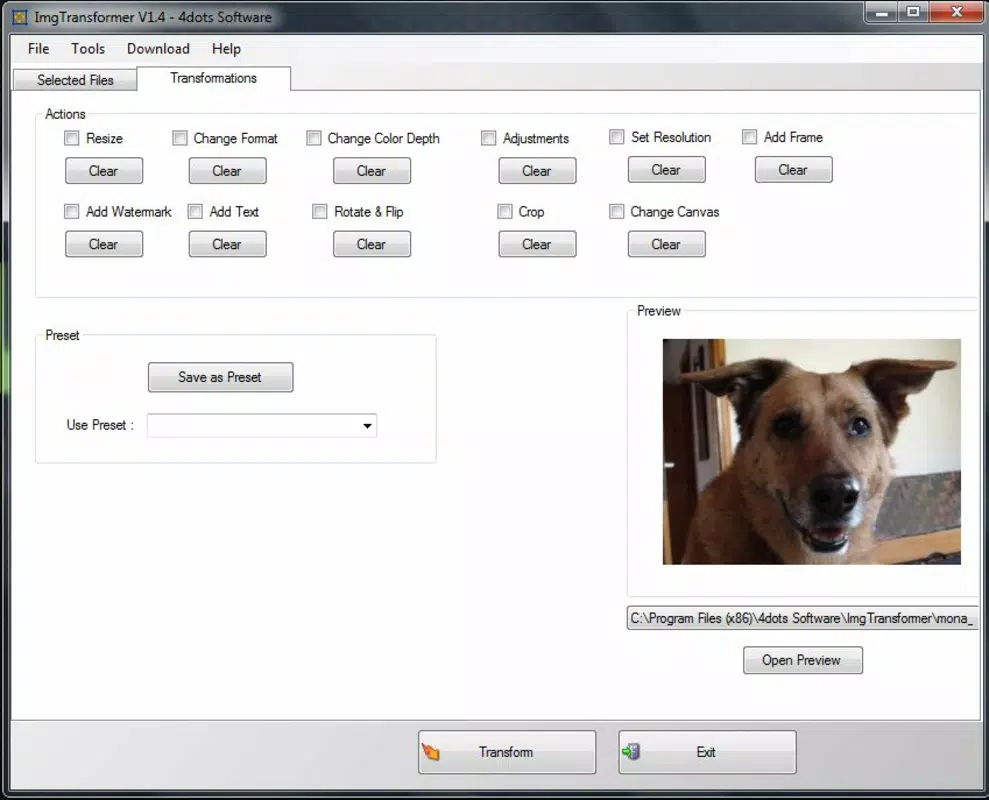
- Comprehensive Editing Tools: Users can adjust brightness, contrast, color balance, and resolution, providing essential control over image quality and visual appeal.
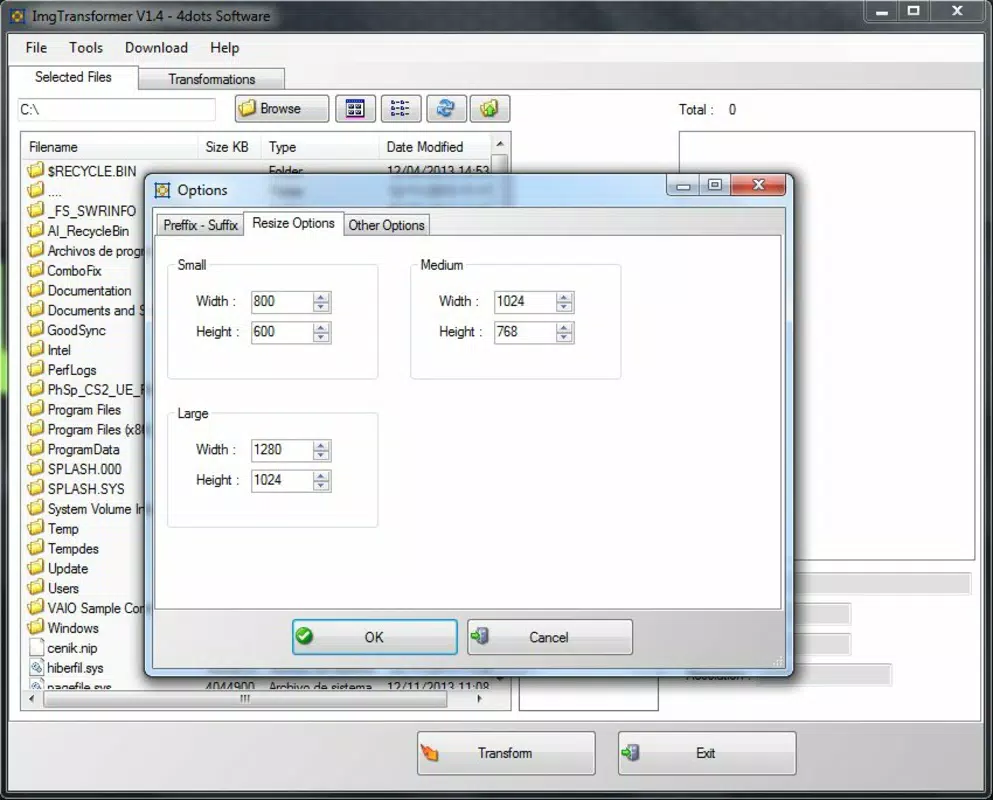
- Image Resizing & Dimension Adjustment: Precise control over image dimensions allows for consistent formatting across platforms, ideal for web and social media content.
- Watermarking Feature: Add visible or semi-transparent watermarks to protect ownership and prevent unauthorized use of digital images.
- Batch Processing: Apply changes to multiple images simultaneously, significantly reducing time spent on repetitive tasks.
- Context Menu Integration: Access editing functions directly from the Windows right-click menu, enabling quick actions without opening the main application.
These features serve practical purposes across various workflows. For example, a social media manager can use batch processing to resize dozens of product images to a uniform size before upload. A photographer might use the color and contrast adjustments to enhance images before sharing them online.
The watermarking function is especially valuable for artists and freelancers who want to maintain copyright control when distributing work. Context menu integration allows a graphic designer to quickly rotate or resize an image without interrupting their current workflow. These capabilities collectively make ImgTransformer a versatile utility for users who prioritize efficiency and simplicity in image manipulation tasks.
Interface, UX & Performance
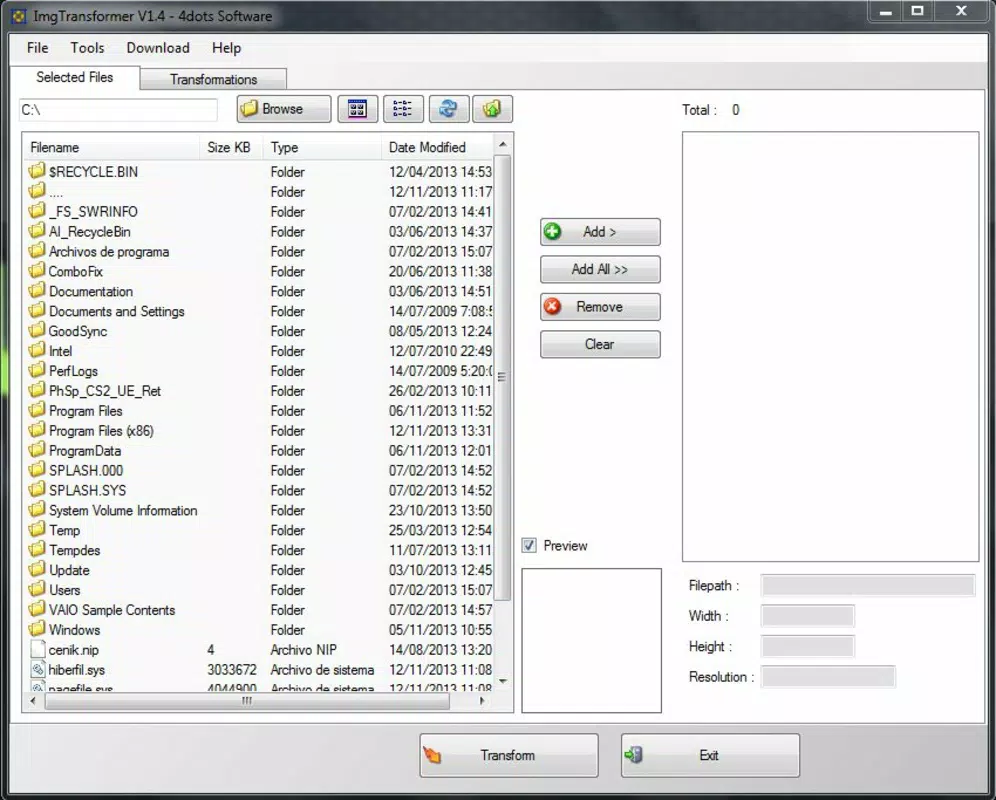
ImgTransformer features a clean, intuitive interface designed for ease of use, with clearly labeled tools and straightforward navigation. The layout organizes core functions—format conversion, resizing, editing, and watermarking—into accessible sections, minimizing the learning curve for new users. Visual feedback is immediate, with real-time previews of changes such as brightness adjustments or watermark placement.
Although the developer did not list formal performance metrics, the app’s file size of 10.5 MB suggests a lightweight design optimized for fast loading and minimal system resource consumption. The application runs efficiently on standard Windows systems, with responsiveness observed across various device categories, including desktops and laptops. Stability is maintained during routine operations such as format conversion and batch processing, with no reported crashes or freezes in typical usage scenarios.
The integration with the Windows context menu further enhances usability by enabling quick access to essential functions without interrupting workflow. While the developer did not provide detailed information on compatibility with older Windows versions or performance under heavy loads, the app’s long-standing presence indicates consistent reliability. Overall, the user experience is smooth and focused on functionality, making it suitable for both casual users and professionals seeking a no-frills image utility.
Platform Compatibility & Technical Requirements
ImgTransformer is designed for the Windows platform and is compatible with Windows operating systems. The current version is 1.5.1, with a file size of 10.5 MB. The developer did not specify minimum OS requirements or exact version compatibility, so users should ensure their system meets general Windows standards for running desktop applications.
The app does not require installation of additional frameworks or dependencies, which simplifies deployment across different environments. Although the developer did not list formal technical specifications such as CPU, RAM, or GPU requirements, the lightweight nature of the application suggests it will function on most modern and legacy Windows systems. Compatibility information was not fully disclosed, so users are advised to test the app in their specific environment.
The app is available as a free download, with no in-app purchases or subscription models. Its cross-format support and minimal system demands make it accessible to a wide range of users, regardless of hardware capabilities.
Pros and Cons
- Free to download and use with no hidden costs
- Supports over 30 image formats, ensuring broad compatibility
- Lightweight size (10.5 MB) with minimal system impact
- Context menu integration for quick, on-the-fly edits
- Batch processing saves time on repetitive tasks
- Watermarking helps protect intellectual property
- Simple, intuitive interface suitable for beginners
- Developer did not provide detailed system requirements
- Platform availability limited to Windows only
- No mobile or macOS version available
- Specific performance metrics were not disclosed
- Advanced editing features are not highlighted
- Compatibility with older Windows versions not confirmed
FAQ
Is ImgTransformer safe to download and use?
Yes, ImgTransformer is a free tool that has been available since 2013. It does not require installation of third-party software and operates without known malware risks. Users should download it from trusted sources to ensure integrity.
Can I use ImgTransformer on Windows 10 or Windows 11?
While the developer did not specify exact OS compatibility, ImgTransformer is designed for Windows and is expected to run on Windows 10 and Windows 11 systems. Users are encouraged to test the app in their environment.
Does ImgTransformer support batch processing?
Yes, the app includes batch processing functionality, allowing users to apply resizing, format conversion, or editing changes to multiple images at once, improving efficiency.
Is there a mobile version of ImgTransformer?
No, the app is currently only available for Windows. There is no official mobile version for Android or iOS at this time.
How do I add a watermark to my images using ImgTransformer?
After opening the app, select the image, navigate to the watermarking tool, and enter your desired text or logo. Adjust transparency and position before applying the watermark to your image.
Final Thoughts
ImgTransformer stands out as a dependable, no-frills image utility for Windows users seeking efficient tools to resize, convert, and edit images. Its combination of format versatility, batch processing, and context menu integration makes it a practical addition to any digital workflow. While it lacks advanced features found in professional-grade software, it excels in simplicity, speed, and accessibility.
The free pricing model and minimal system requirements further enhance its appeal. This app is ideal for content creators, small business owners, and anyone who regularly handles image files but doesn’t need complex editing tools. For those looking to streamline image management without installing heavy software, ImgTransformer delivers real value.
Download ImgTransformer now.


